像框製造機
很不錯的網站報虎哩摘
裡面有許多相框可供選擇
完成後也能輸入文字存檔
有興趣者可以嘗試看看
這款斑馬紋時尚包預定為12月
Cotton Life玩布生活 No8
非洲風斑紋時尚包
喜歡嗎?屆時可別忘了預訂ㄛ
像框製造機網址
http://www.loonapix.com/framer/result/

很多網站,為了避免大家複製、轉貼網站上的文章、圖片等,會使用一種JavaScript功能,將網路瀏覽器的右鍵選單、複製…等等功能給擋掉,造成很多人在瀏覽網站時的不方便。
以下,我們介紹如何使用先進的Firefox瀏覽器,輕鬆勾選一下設定,就可以讓你在網路上暢行,不用再擔心哪個網站的鎖右鍵功能讓您造成困擾!!
軟體名稱:Mozilla Firefox 網路瀏覽器
軟體下載:按這裡
設定方法:
第1步
安裝好Firefox瀏覽器後,依序按下〔工具〕→【選項】,準備設定Firefox瀏覽器的功能。

第2步
先按一下「內容」按鈕,然後再點一下「啟用JavaScript」右邊的〔進階〕按鈕。

第3步
出現「進階 JavaScript 設定」對話盒後,直接將「停用或取代右鍵選單」的功能給取消勾選,只要取消之後,就可以不會再被鎖右鍵啦。設定完後,直接按〔確定〕完成設定工作,就開始暢快的瀏覽網站囉…。


此文源自~重灌狂人

先引用再使用!別總是複製帶走套用!!
本篇圖材取自桌面城市 小紅豆加工製作 | |||||||||||||||||||||||

ξ巧思雜貨舖ξ自製邊框套組-73

ξ巧思雜貨舖ξ自製邊框套組-73
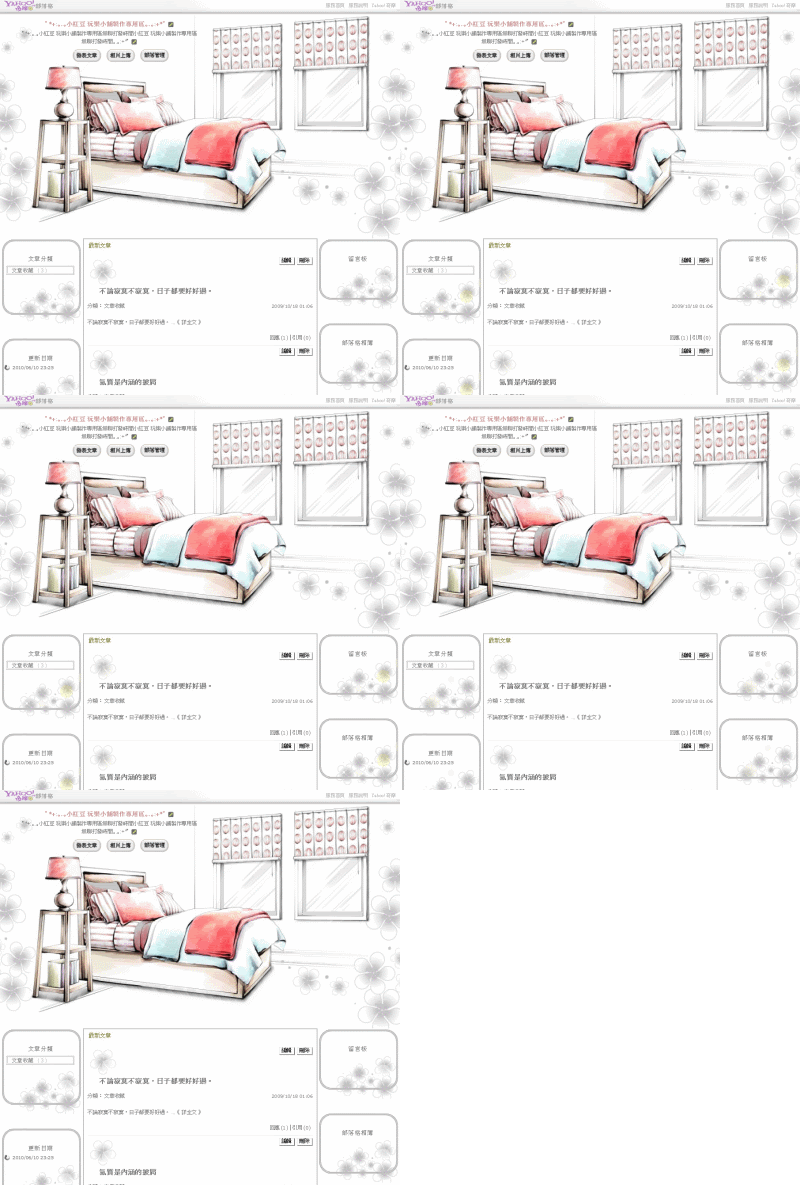
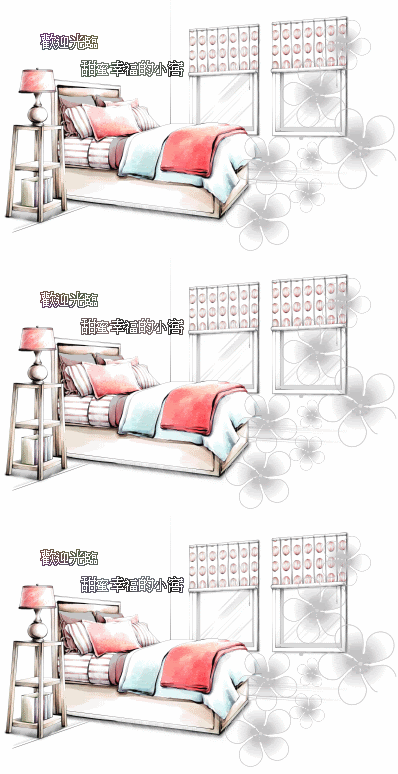
邊框示意圖 /*ξ巧思雜貨舖ξ自製邊框套組-73邊框語法*/ 招呼語圖片示意圖 /*Blog blast moduleξ巧思雜貨舖ξ自製邊框套組-73招呼語字體顏色圖框置中*/ 文章前小圖示意圖 /*ξ巧思雜貨舖ξ自製邊框套組-73文章前小圖設定*/ 左右欄位小圖示意圖 /*ξ巧思雜貨舖ξ自製邊框套組-73左右欄位小圖*/ 部落格上方三鍵示意圖 /*edit M blog titleξ巧思雜貨舖ξ自製邊框套組-73部落格上方三鍵語法*/ 部落格 上傳與編輯 示意圖 /*edit module profileξ巧思雜貨舖ξ自製邊框套組-73上傳照片編輯個人語法*/ 部落格回應引用示意圖 /*make coomment bar ξ巧思雜貨舖ξ自製邊框套組-73回應引用語法*/ 部落格訂閱 示意圖 /*btnsbsrbξ巧思雜貨舖ξ自製邊框套組-73訂閱部落格圖示*/
.ycntmod {width:100%;position:relative;margin-bottom:10px;overflow:hidden;}
.ycntmod .rctop {zoom:1;background:url(http://img822.imageshack.us/img822/8634/w11.gif) left top no-repeat;margin-right:5px;}
.ycntmod .rctop div {background:url(http://img820.imageshack.us/img820/741/w12.gif) right top no-repeat;height:90px;font-size:0;position:relative;right:-5px;}
.ycntmod .rcbtm {zoom:1;background:url(http://img822.imageshack.us/img822/4250/w13.gif) left bottom no-repeat;margin-right:5px;}
.ycntmod .rcbtm div {background:url(http://img813.imageshack.us/img813/1815/w14.gif) right bottom no-repeat;height:138px;font-size:0;position:relative;right:-5px;}
.ycntmod .rcl {padding-left:13px;background:url(http://img812.imageshack.us/img812/8070/w15.gif) repeat-y;}
.ycntmod .rcr {zoom:1;padding-right:13px;background:url(http://img46.imageshack.us/img46/4023/w16.gif) right repeat-y;}
.ycntmod .text {position:relative;word-break:break-all;}
.yc3pribd .ycntmod{overflow:visible;}
.yc3pribd .ycntmod .yblogcnt{overflow:hidden;}
#yblast .text{color:#60bf00;}
#yblast{text-align:center;}
#yblast .bg{background:url(圖片網址) no-repeat;background-position:56% 0%;width:513px;height:60px;}
#yblast .text{font-size:11px;font-:;}
.yblogcnt .blgtitlebar {margin-bottom:9px;zoom:1;}
.yblogcnt .blgtitlebar h2 {font-size:125%;font-weight:bold;background:url(圖片網址) no-repeat;padding-left:51px;padding-top:26px;}
.ycntmod .mbd ul.list li{background-image:url(圖片網址);background-repeat:no-repeat; padding-left:20px;padding-top:20px;_line-height:1.9em}


div.btncompose a{display:block;width:90px;height:64px;overflow:hidden;background:url(圖片網址) no-repeat;}
div.btnphoto a{display:block;width:90px;height:64px;overflow:hidden;background:url(圖片網址) no-repeat;}
div.btnsetup a{display:block;width:90px;height:64px;overflow:hidden;background:url( 圖片網址) no-repeat;}
#yblogtitle .tft {margin:230px 16px 0px 0px;}

div.btnulprfphoto a {display:block;width:90px;height:64px;background:url(圖片網址) center top no-repeat;}
div.btneditprf a {display:block;width:90px;height:64px;background:url(圖片網址) center top no-repeat;}

div.btncomment a {display:block;height:53px;width:67px;background:url(圖片網址) no-repeat;}
div.btntrackback a {display:block;height:53px;width:67px;background:url( 圖片網址) no-repeat;}
div#btnsbsrb a{display:block;width:120px;height:73px;overflow:hidden;background:url(圖片網址) no-repeat;margin:1px 118px 0px 0px;}
div#btnsbsrb_nologin a{display:block;width:120px;height:73px;overflow:hidden;background:url(圖片網址) no-repeat;margin:1px 118px 0px 0px;}
除了邊框語法外 有需要的朋友們可點圖片
按滑鼠右鍵點選內容取得圖片網址在貼在(圖片網址)上即可
歡迎取用 建議喜歡的格友們 可另存圖片 以免網路上免費上傳空間失連

ξ巧思雜貨舖ξ自製邊框套組-74
ξ巧思雜貨舖ξ自製邊框套組-74
邊框示意圖 /*ξ巧思雜貨舖ξ自製邊框套組-74邊框語法*/ 招呼語圖片示意圖 /*Blog blast moduleξ巧思雜貨舖ξ自製邊框套組-74招呼語字體顏色圖框置中*/ 文章前小圖示意圖 /*ξ巧思雜貨舖ξ自製邊框套組-74文章前小圖設定*/ 左右欄位小圖示意圖 /*ξ巧思雜貨舖ξ自製邊框套組-74左右欄位小圖*/ 部落格上方三鍵示意圖 /*edit M blog titleξ巧思雜貨舖ξ自製邊框套組-74部落格上方三鍵語法*/ 部落格 上傳與編輯 示意圖 /*edit module profileξ巧思雜貨舖ξ自製邊框套組-74上傳照片編輯個人語法*/ 部落格回應引用示意圖 /*make coomment bar ξ巧思雜貨舖ξ自製邊框套組-74回應引用語法*/ 部落格訂閱 示意圖 /*btnsbsrbξ巧思雜貨舖ξ自製邊框套組-74訂閱部落格圖示*/
.ycntmod {width:100%;position:relative;margin-bottom:10px;overflow:hidden;}
.ycntmod .rctop {zoom:1;background:url(http://img814.imageshack.us/img814/3218/d11.gif) left top no-repeat;margin-right:5px;}
.ycntmod .rctop div {background:url(http://img819.imageshack.us/img819/6849/d12.gif) right top no-repeat;height:90px;font-size:0;position:relative;right:-5px;}
.ycntmod .rcbtm {zoom:1;background:url(http://img816.imageshack.us/img816/7694/d13.gif) left bottom no-repeat;margin-right:5px;}
.ycntmod .rcbtm div {background:url(http://img814.imageshack.us/img814/2017/d14.gif) right bottom no-repeat;height:151px;font-size:0;position:relative;right:-5px;}
.ycntmod .rcl {padding-left:7px;background:url(http://img819.imageshack.us/img819/4260/d15.gif) repeat-y;}
.ycntmod .rcr {zoom:1;padding-right:7px;background:url(http://img249.imageshack.us/img249/8545/d16d.gif) right repeat-y;}
.ycntmod .text {position:relative;word-break:break-all;}
.yc3pribd .ycntmod{overflow:visible;}
.yc3pribd .ycntmod .yblogcnt{overflow:hidden;}
#yblast .text{color:#000000;}
#yblast{text-align:center;}
#yblast .bg{background:url(圖片網址) no-repeat;background-position:56% 0%;width:513px;height:60px;}
#yblast .text{font-size:11px;font-:;}
.yblogcnt .blgtitlebar {margin-bottom:9px;zoom:1;}
.yblogcnt .blgtitlebar h2 {font-size:125%;font-weight:bold;background:url(圖片網址) no-repeat;padding-left:27px;padding-top:43px;}
.ycntmod .mbd ul.list li{background-image:url(圖片網址);background-repeat:no-repeat; padding-left:20px;padding-top:20px;_line-height:1.9em}


div.btncompose a{display:block;width:88px;height:35px;overflow:hidden;background:url(圖片網址) no-repeat;}
div.btnphoto a{display:block;width:88px;height:35px;overflow:hidden;background:url(圖片網址) no-repeat;}
div.btnsetup a{display:block;width:88px;height:35px;overflow:hidden;background:url( 圖片網址) no-repeat;}
#yblogtitle .tft {margin:230px 16px 0px 0px;}

div.btnulprfphoto a {display:block;width:88px;height:35px;background:url(圖片網址) center top no-repeat;}
div.btneditprf a {display:block;width:88px;height:35px;background:url(圖片網址) center top no-repeat;}

div.btncomment a {display:block;height:135px;width:72px;background:url(圖片網址) no-repeat;}
div.btntrackback a {display:block;height:135px;width:72px;background:url( 圖片網址) no-repeat;}
div#btnsbsrb a{display:block;width:104px;height:141px;overflow:hidden;background:url(圖片網址) no-repeat;margin:1px 118px 0px 0px;}
div#btnsbsrb_nologin a{display:block;width:104px;height:141px;overflow:hidden;background:url(圖片網址) no-repeat;margin:1px 118px 0px 0px;}
除了邊框語法外 有需要的朋友們可點圖片
按滑鼠右鍵點選內容取得圖片網址在貼在(圖片網址)上即可
歡迎取用 建議喜歡的格友們 可另存圖片 以免網路上免費上傳空間失連
直接在圖片加上文字,可以省略製作圖片的麻煩~~
如果您想在自訂欄位,設定一些連結,請選擇自己喜歡的連結使用。
如果您是選用第10個語法,而您又希望圖片的寬度=自訂欄位的寬度,
可以依您的文字的字數,調整文字的大小,或是加上『全形』的空白字。
這樣在圖片加上文字,可以省略製作圖片的麻煩~~
晨曦婆婆祝您健康快樂
晨曦婆婆愛妳喔
晨曦乍現就是妳家
1.以文字做連結 → 《晨曦乍現》
<a href="連結網址"><font color=#ff0000><b>文字</b></font></a>
2.以文字做連結 (另開網頁)→ 《晨曦乍現》
<a href="連結網址" target="_blank"><font color=#ff0000><b>文字</b></font></a>
3.以文字做連結(設定文字顏色,大小,字體)→ 《晨曦乍現》
<a href="連結網址"><font color=#0000CC size=5 face=標楷體><b>文字</b></font></a>
4.以圖片做連結→ 
<a href="連結網址" ><img src="圖片網址" ></a>
5.以圖片連結(另開網頁)→
<a href="連結網址" target="_blank" ><img src="圖片網址" ></a>
6.在圖片上加文字→ 《晨曦乍現》
<p><font style="BACKGROUND: url(底圖網址)" color=ff00cc >文字</font></p>
7.在圖片上加文字(設定文字顏色,大小,字體)→ 《晨曦乍現》
<p><font style="BACKGROUND: url(底圖網址)" color=ff00cc size=5 face=標楷體>文字</font></p>
8.在圖片上加小圖和文字→  《晨曦乍現》
<p><font style="BACKGROUND: url(底圖網址)" color=#ff66 ><img src="小圖網址" >文字 </font></p>
9.在圖片上加連結文字→ 《晨曦乍現》
<p><font style="BACKGROUND: url(底圖網址)" color=#f373a2 size=3><a href="連結網址">文字</a></font></p>
10.在圖片上加連結文字(設定文字顏色,大小,字體)→ )《晨曦乍現》
<p><font style="BACKGROUND: url(底圖網址)" face=標楷體 color=#f373a2 size=5><a href="連結網址"><font color=#00ccff><b>文字</b></font></a></font></p>
.
.
.
.
如果您現在有空,請在我的回應,和我打個招呼如何?
1.勾選左下方有一個 『觀看HTML原始碼』
2.貼上以下語法
<p><font style="BACKGROUND: url(http://smile1948.googlepages.com/11.gif)" color=ff0099 size=5 face=標楷體> 晨曦婆婆祝您健康快樂 </font></p>
3.刪掉 『 晨曦婆婆祝您健康快樂』
4.打上 『 晨曦婆婆愛妳喔』(當然也可以打上任何文字~~)
5.圖片網址,文字顏色,文字大小,可以改,也可以不改。請隨意~
6.發表
ξ巧思雜貨舖ξ自製邊框套組-72
ξ巧思雜貨舖ξ自製邊框套組-72
邊框示意圖 /*ξ巧思雜貨舖ξ自製邊框套組-72邊框語法*/ 招呼語圖片示意圖 /*Blog blast moduleξ巧思雜貨舖ξ自製邊框套組-72招呼語字體顏色圖框置中*/ 文章前小圖示意圖 /*ξ巧思雜貨舖ξ自製邊框套組-72文章前小圖設定*/ 左右欄位小圖示意圖 /*ξ巧思雜貨舖ξ自製邊框套組-72左右欄位小圖*/ 部落格上方三鍵示意圖 /*edit M blog titleξ巧思雜貨舖ξ自製邊框套組-72部落格上方三鍵語法*/ 部落格 上傳與編輯 示意圖 /*edit module profileξ巧思雜貨舖ξ自製邊框套組-72上傳照片編輯個人語法*/ 部落格回應引用示意圖 /*make coomment bar ξ巧思雜貨舖ξ自製邊框套組-72回應引用語法*/ 部落格訂閱 示意圖 /*btnsbsrbξ巧思雜貨舖ξ自製邊框套組-72訂閱部落格圖示*/
.ycntmod {width:100%;position:relative;margin-bottom:10px;overflow:hidden;}
.ycntmod .rctop {zoom:1;background:url(http://img291.imageshack.us/img291/7927/h11.gif) left top no-repeat;margin-right:5px;}
.ycntmod .rctop div {background:url(http://img34.imageshack.us/img34/3251/h12m.gif) right top no-repeat;height:76px;font-size:0;position:relative;right:-5px;}
.ycntmod .rcbtm {zoom:1;background:url(http://img812.imageshack.us/img812/5673/h13.gif) left bottom no-repeat;margin-right:5px;}
.ycntmod .rcbtm div {background:url(http://img821.imageshack.us/img821/7451/h14.gif) right bottom no-repeat;height:162px;font-size:0;position:relative;right:-5px;}
.ycntmod .rcl {padding-left:14px;background:url(http://img819.imageshack.us/img819/6306/h15.gif) repeat-y;}
.ycntmod .rcr {zoom:1;padding-right:14px;background:url(http://img813.imageshack.us/img813/9008/h16.gif) right repeat-y;}
.ycntmod .text {position:relative;word-break:break-all;}
.yc3pribd .ycntmod{overflow:visible;}
.yc3pribd .ycntmod .yblogcnt{overflow:hidden;}
#yblast .text{color:#7f7f00;}
#yblast{text-align:center;}
#yblast .bg{background:url(圖片網址) no-repeat;background-position:56% 0%;width:513px;height:60px;}
#yblast .text{font-size:11px;font-:;}
.yblogcnt .blgtitlebar {margin-bottom:9px;zoom:1;}
.yblogcnt .blgtitlebar h2 {font-size:125%;font-weight:bold;background:url(圖片網址) no-repeat;padding-left:18px;padding-top:27px;}
.ycntmod .mbd ul.list li{background-image:url(圖片網址);background-repeat:no-repeat; padding-left:20px;padding-top:20px;_line-height:1.9em}


div.btncompose a{display:block;width:93px;height:71px;overflow:hidden;background:url(圖片網址) no-repeat;}
div.btnphoto a{display:block;width:93px;height:71px;overflow:hidden;background:url(圖片網址) no-repeat;}
div.btnsetup a{display:block;width:93px;height:71px;overflow:hidden;background:url( 圖片網址) no-repeat;}
#yblogtitle .tft {margin:230px 16px 0px 0px;}

div.btnulprfphoto a {display:block;width:104px;height:48px;background:url(圖片網址) center top no-repeat;}
div.btneditprf a {display:block;width:104px;height:48px;background:url(圖片網址) center top no-repeat;}

div.btncomment a {display:block;height:48px;width:63px;background:url(圖片網址) no-repeat;}
div.btntrackback a {display:block;height:48px;width:63px;background:url( 圖片網址) no-repeat;}
div#btnsbsrb a{display:block;width:189px;height:75px;overflow:hidden;background:url(圖片網址) no-repeat;margin:1px 118px 0px 0px;}
div#btnsbsrb_nologin a{display:block;width:189px;height:75px;overflow:hidden;background:url(圖片網址) no-repeat;margin:1px 118px 0px 0px;}
除了邊框語法外 有需要的朋友們可點圖片
按滑鼠右鍵點選內容取得圖片網址在貼在(圖片網址)上即可
歡迎取用 建議喜歡的格友們 可另存圖片 以免網路上免費上傳空間失連

 Blog小物 (6) 音樂圖文 (2) Susan的碎碎唸 (1)